Project purpose: This project was the main assignement during my Digital Product Designer studies.
In a team of 3 we planned and created the app using the steps of the Design Thinking Method with a great emphasis on User-Centered Design.
Jump to Section
supporting daily kindness
We believed that many couples struggle to keep their relationship in focus amidst the constant rush and overwhelming stream of daily distractions. So our team’s initial intention was to...
Design an app that encourages thoughtful gestures and keeps the relationship in focus.
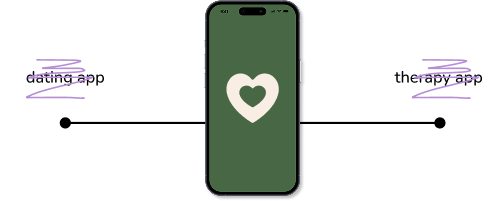
At the start of the discovery phase, we knew that we didn’t want to create a dating app – but rather a tool for deepening connection between people who are already in a relationship. An app that gently guides users without being too prescriptive or feeling like a form of therapy.
maintaining the connection
1. Goal
Our goal was to understand how couples maintain connection in their daily lives and what challenges they face in keeping their relationship a priority.
2. Method
Before conducting in-depth interviews, as part of our desk research we conducted a competitive audit of existing relationship apps and reviewed scientific literature on affection and relationship dynamics. The competitive audit helped us understand the landscape and find opportunities for innovation.
To gain deeper insights into how couples maintain their connection, we conducted 11 in-depth interviews with individuals in relationships. We interviewed couples aged 20-35. We chose this research group because this stage of life is often marked by major milestones and transitions in a couple’s journey.
We were interested in the following topics:
- How do couples create a balance between work and personal life?
- What challenges do they face?
- What kind of feedback is most important to them from their partner?
- What recharges them?
3. Key findings

During the competitive audit we found two apps in this field, but none were available in Hungarian and both of them primarily fouced on communication. What was missing from them was the element of shared activities—something that could actively engage couples in doing things together rather than just talking.
From the interview insights the biggest challenge turned out to be that, amidst the many daily responsibilities, very little time and attention is left for quality one-on-one moments as a couple. Couples with smaill children are the most vulnerable to drifting away from each other due to constant nurture of the small ones and to the lack of time spent as a couple.
Many participants mentioned the difficulty of communicating their needs and wishes openly with their parner. Additionaly, many struggle with the expectation of being ‘mind-readers’ in their relationship.
what do couples need?
These insights informed the next phase, where we synthesized our findings into personas and user journey maps to better understand user needs.
1. Affinity diagramming
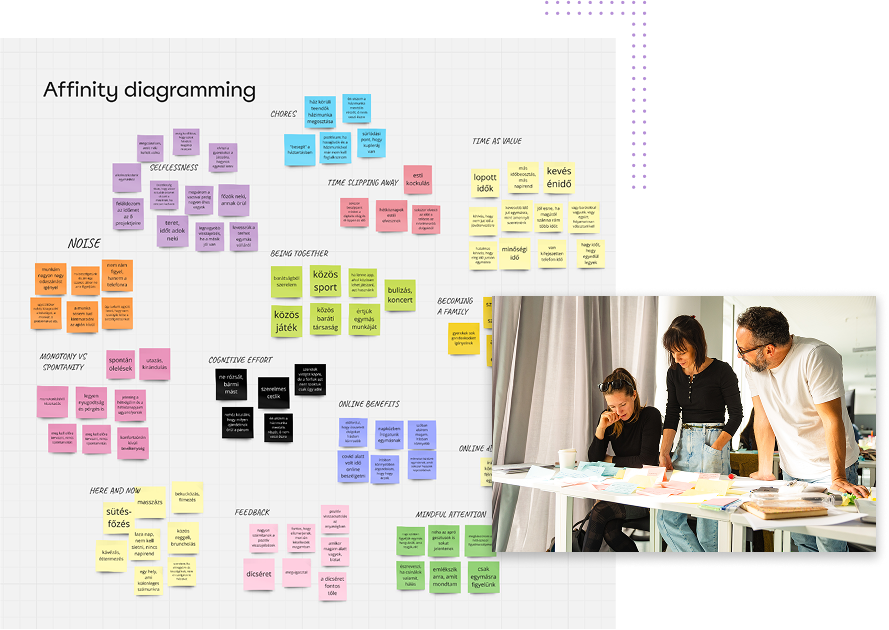
We grouped our research insights into themes using affinity diagramming, which helped us identify patterns in user challenges and desires. Analyzing the responses we identified five themes which seem to play a crucial role in maintaining the feeling of satisfaction and stability in a relationship:
- providing feedback and compliment
- maintaining reciprocity
- giving mindful attention
- share experiences together
- providing 'me time' to each other
The most important need which appeared in 9 out of 11 interviews was the
need to receive feedback and meaningful compliments from one’s partner. This is a core mental resource in maintaining a realistic self-image and confidence amidst the stress of everyday life.
Since providing feedback and compliments turned out to be the most important user need, we designed the features with this focus in mind, prioritizing this need throughout the process. This approach allowed us to stay within the timeline and create a truly useful product.
2. Personas
We developed four primary personas, Emma - The Overwhelmed Stay-at-Home Mom; David - The Overworked Dad; Sophie - The Social Student; Ryan - The Long-Distance Partner. These personas helped us design with specific user behaviors and motivations in mind.
3. Journey Mapping
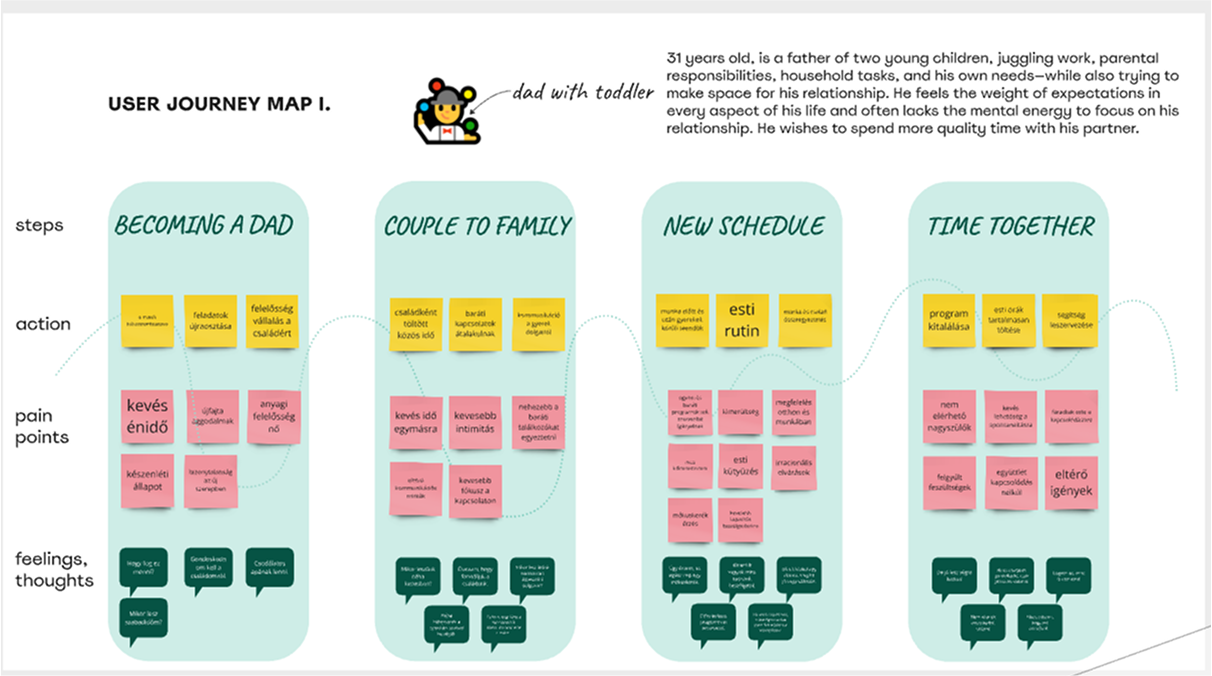
We found journey mapping particularly challenging, as relationships and their key milestones—whether having a child or buying a house—don’t follow a linear, step-by-step process like purchasing an item through a shopping app. Every couple experiences these moments differently, making it difficult to define a single, universal journey.
We crafted one journey map which focused on a young man becoming a father and the shift from couple to family. With time still limited but responsibilities multiplying, financial pressure often increases on the father, leaving little mental energy for the relationship. Planning shared activities requires more effort, making a strong foundation of past experiences and effective communication crucial to staying connected.
4. How Might We
Through this synthesizing process we identified key opportunities to supoport couples in staying connected despite life’s challenges. These insights guided our design decisions, helping us create solutions that foster meaningful interactions and shared experiences.
We defined the app’s goal:
How can we help partners connect in a way that makes their relationship feel alive, valuable and joyful while ensuring they feel appreciated?
Additionally, how can we provide inspiration and educational content to support this?
the journey together
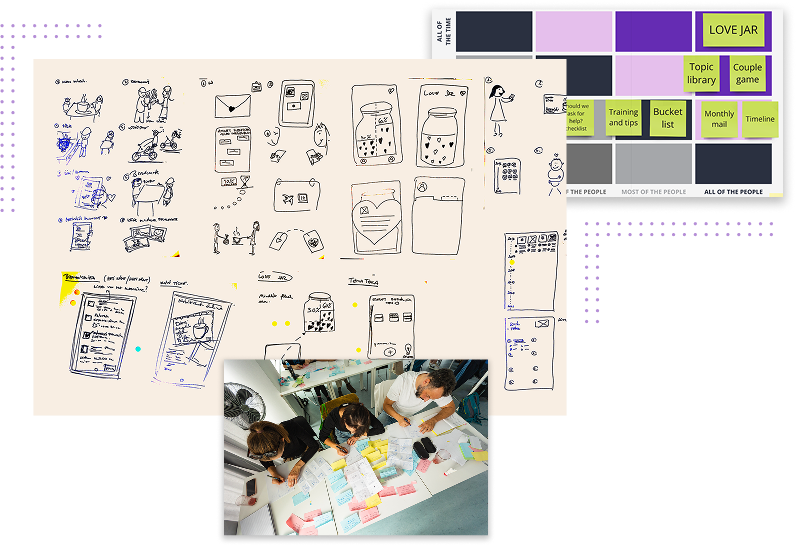
1. The Love Jar - Our Initial Concept
From the start, we had a strong core idea: ‘The Love Jar’—a space where users could collect kind notes and feedback from their partners. Focusing on our main research finding - the need to receive feedback and compliment. We considered features like emptying the jar periodically and encouraging partners to fill each other’s jars.
However, we ultimately abandoned the idea. It felt chaotic over time, making it difficult to find meaningful messages. Additionally, we didn’t want to introduce an element of competition between partners. Abandoning the Love Jar left us in a bit of creative dead end, unsure of the next direction.
2. The Theme of the App
We were certain that the app’s core functions had to include sending kind messages and feedback, collecting shared memories, and recording wishes. However, our biggest challenge was defining the overarching theme that would tie everything together.
What helped us pivot from our ‘Love Jar’ concept was starting to think in symbols...
What metaphors best represent the quality of a relationship?
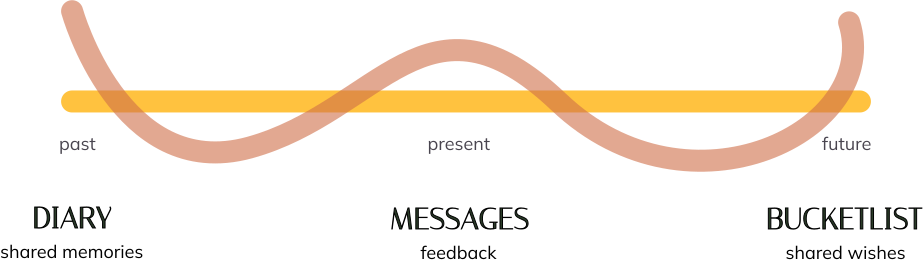
During one of our workshops, we had an 'aha' moment: a journey. A couple’s shared path. Relationships are often winding roads, connecting the past, present, and future—just like our main features.
3. Main features
We started to ideate features which would connect the different timeframes of the relationship with the user needs. Three main features were created:
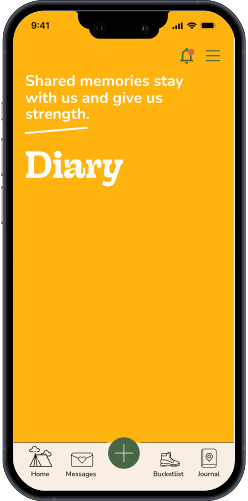
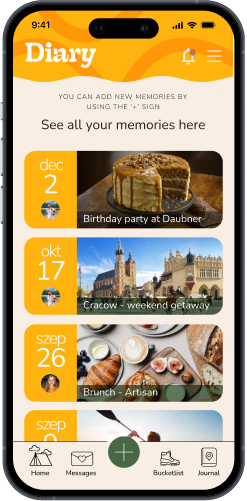
📓 Diary – The past: a space for nostalgia and reinforcement.
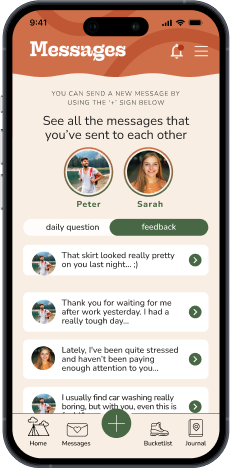
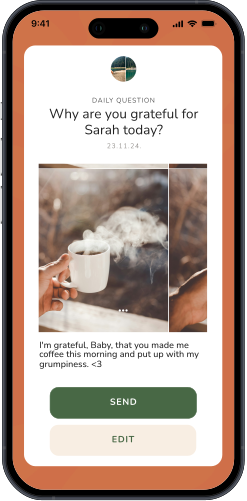
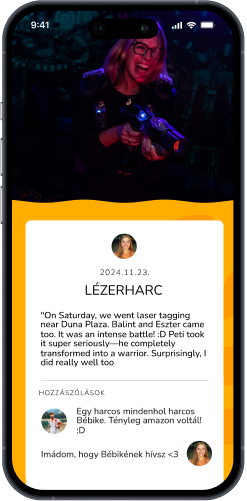
💌 Messages – The present: daily acts of kindness, guided prompts, and feedback with a daily question feature.
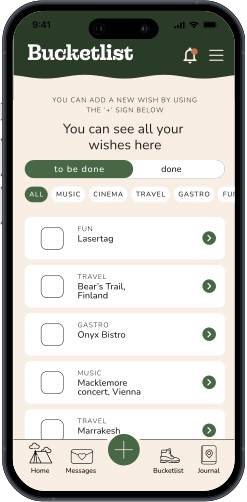
📝 Bucket List – The future: a wishlist of experiences couples want to fulfill together, ensuring dreams don’t fade away
buiLDING FOR engagement
1. Information Architecture
Encouraging Daily Engagement
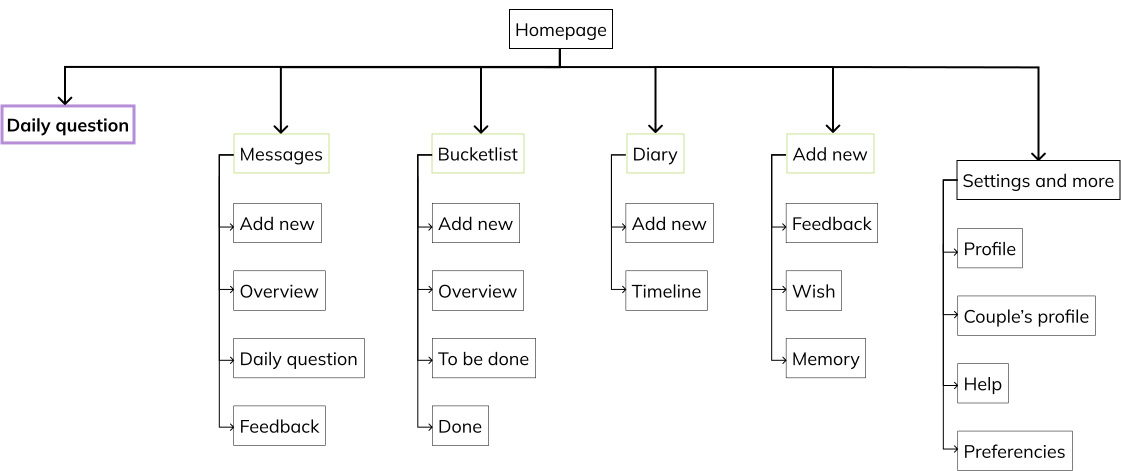
Our primary goal when designing the Information Architecture (IA) was to encourage daily usage and make the most important interaction—the daily question—effortless to access. From our research, we learned that feedback plays a crucial role in relationships, so we centered our IA around this feature.
Structuring for Engagement
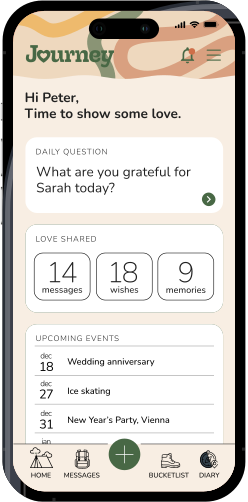
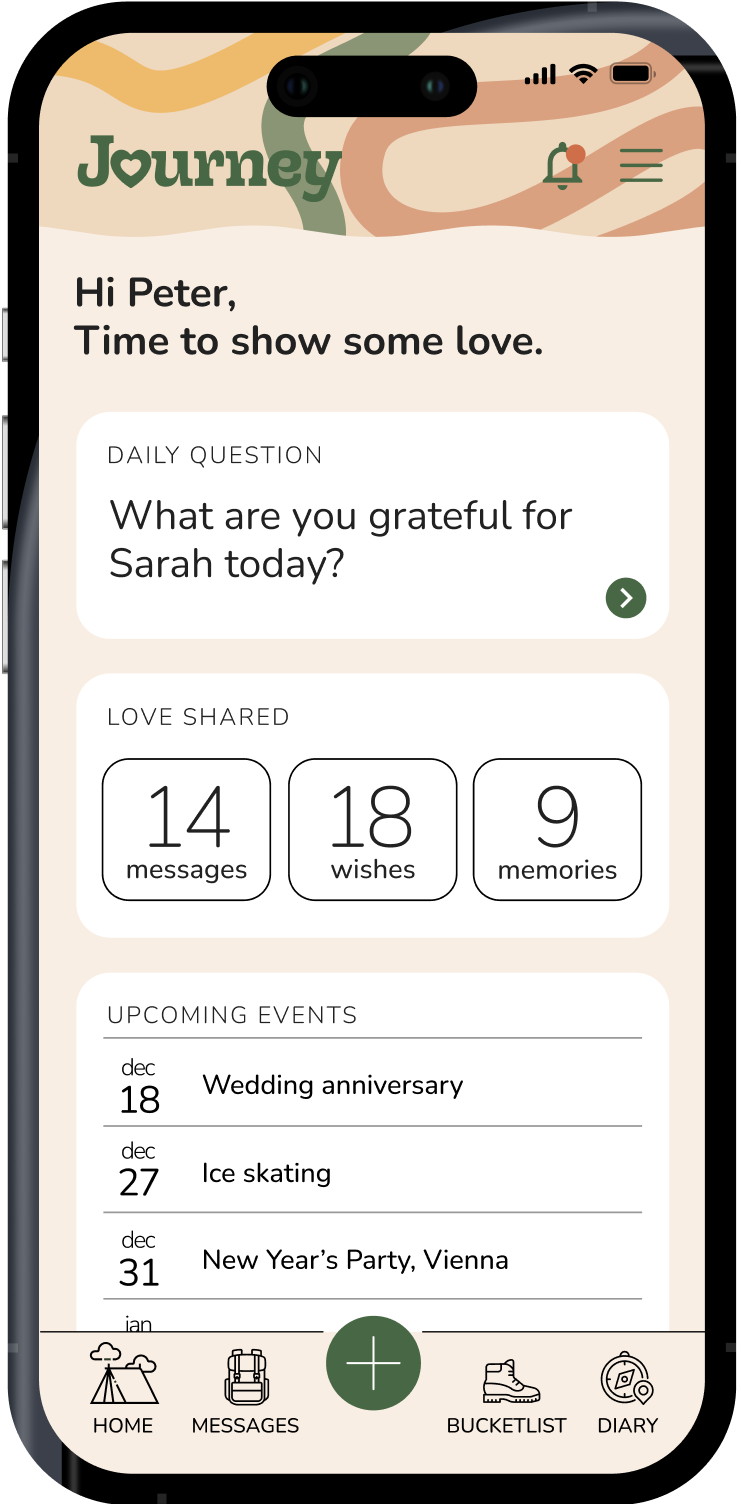
The Daily Question was placed at the center of the dashboard, as it was designed to be the most frequent interaction. The Diary (for shared memories) and Bucket List (for future wishes) support long-term relationship growth but are used less frequently. These were positioned as secondary but still easily accessible features.
To ensure smooth navigation, all features were available from the “+” button in the navbar, allowing users to quickly add new entries without friction.
Key decisions
Prioritizing feedback: Based on user research, we structured the app around the Daily Question, as feedback was a key relationship-strengthening factor.
Minimizing complexity: Instead of overwhelming users with equal-weighted features, we focused on a clear hierarchy—with the Daily Question at the forefront, while memories and future plans remained seamlessly reachable.
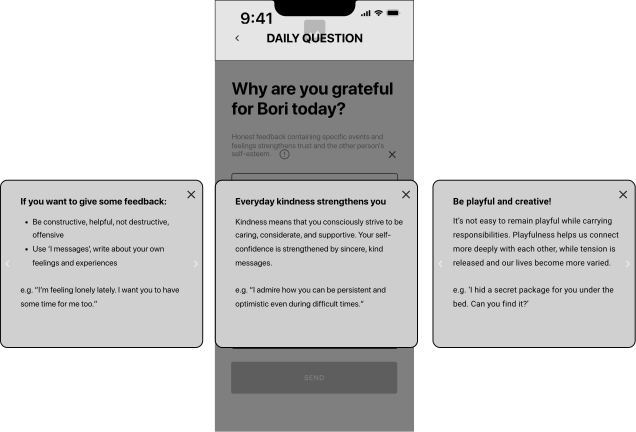
Integrating educational content: Initially, we considered a separate section for communication and feedback tips. However, to keep the experience fluid, we embedded these insights directly within the messaging flow—offering guidance exactly when users needed it.
Here you can see a wireframe of how helpful tips are available while answering the daily question:
2. Design Critique: User Testing and Iterations
During our internal design critique and user testing session, we gathered valuable feedback that shaped our next iterations:
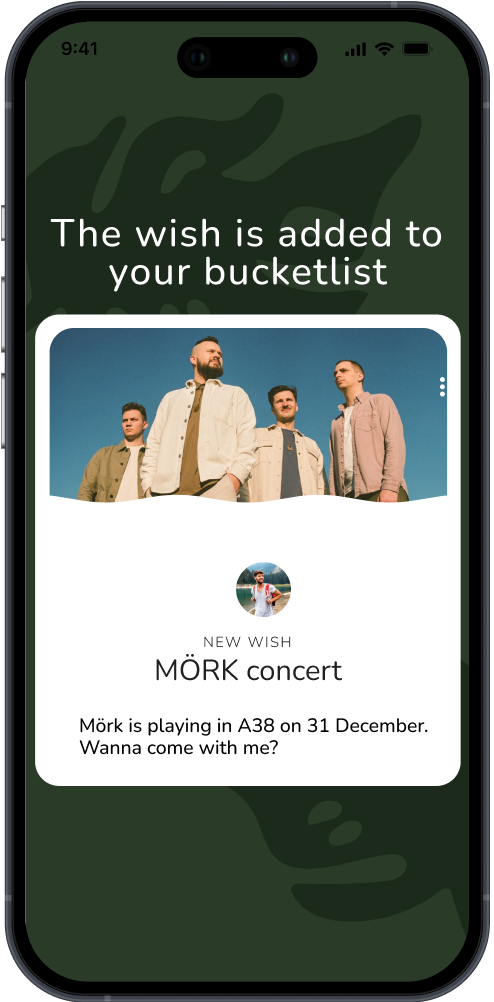
Clear feedback for user actions – Users needed confirmation when they completed an action (e.g., sending a Daily Question answer or adding a new wish to the Bucket List). We refined microinteractions and feedback messages.
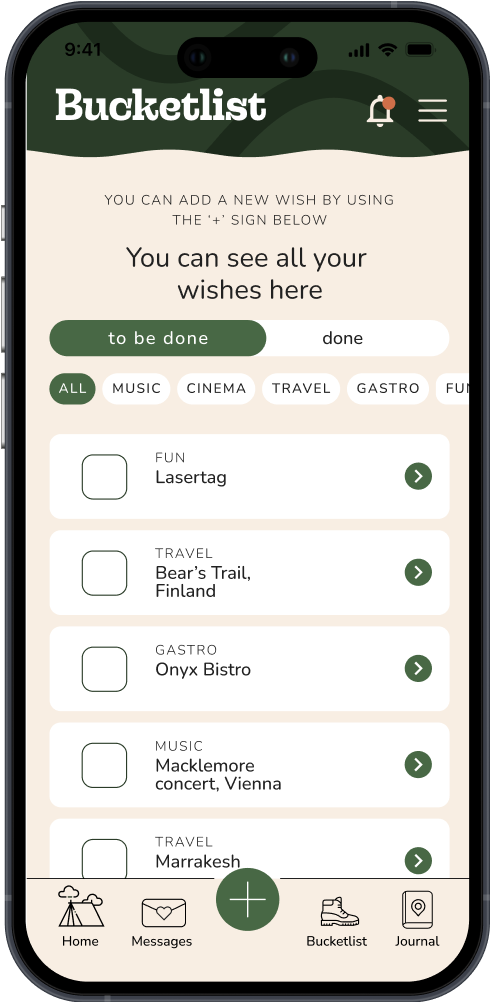
Better filter clarity – Inside the Bucket List, users struggled with category filters, so we adjusted their visibility and labeling.
Enabling reactions – Users expressed a desire to react to messages, including Daily Question answers and new wishes their partner added. Based on this, we introduced reactions across key interactions.
The “+” sign placement – Initially, the quick-add “+” button was in the top-right corner, which confused users and made navigation less intuitive. Based on feedback, we consistently placed it in the bottom navbar, ensuring accessibility across screens.
Connecting fulfilled wishes to memories – Users expressed a desire to see their completed wishes reflected in the Diary. For example, if they added a concert to their Bucket List and later attended it, they wanted a way to seamlessly move it into their Diary. In response, we enabled completed wishes to be saved as memories.
3. From Testing to High-Fidelity Design
With the usability insights in mind, we refined our wireframes and translated them into high-fidelity designs, ensuring that every improvement—such as better navigation, clearer interactions and enhanced filtering—was reflected in the final prototype. Above are key screens showcasing how the design evolved based on our research and testing.
final solution
1. Visual Identity and UI principles
When designing the app’s visual identity, our goal was to create a friendly and inclusive interface that feels welcoming to all users.
We intentionally avoided an overly romantic, decorative style, as well as a rigid, high-tech aesthetic. Instead, we aimed for a balanced, approachable design that reflects warmth and connection without leaning too far in either direction.
There are many ways to be on a journey. Perhaps subconsciously, in search of introspection and growth, we chose nature and hiking as our core visual theme.
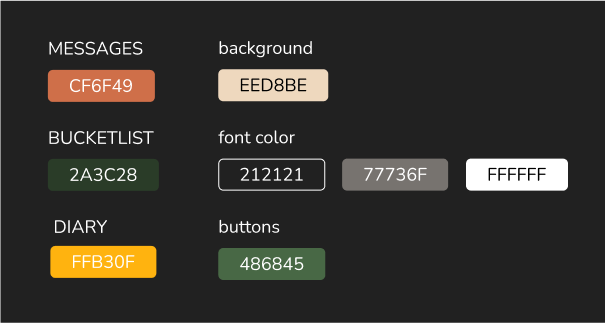
To achieve a natural feel, we focused on pastel and earthy tones. When creating our mood board, we intentionally leaned into this nature-inspired direction, which naturally led us to defining the colors for the three main features.
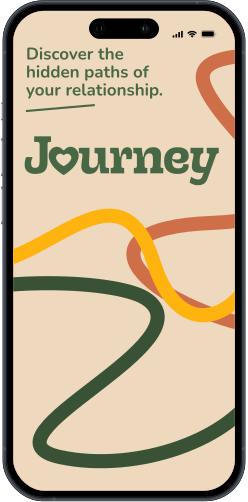
The core visual identity also includes custom-drawn paths in the selected color palette, symbolizing different journeys. These paths come together on the homepage, reinforcing the theme of shared experiences and connection.
For headlines and the main feature titles, we used the Sway Variable typeface, while for body text, we opted for Nunito. The bold and striking presence of Sway Variable ensures a strong visual impact, while Nunito with its rounded and soft forms, balances and refines the overall typography, creating a harmonious and approachable feel.
2. Final Screens and Key Features
Our final design reflects a balance between usability, emotional connection and a natural, outdoor-inspired aesthetic. Each key feature—messages, diary, and bucket list—plays a role in strengthening the relationship by encouraging communication, shared memories, and future planning. The interface is intuitive, with a focus on guiding users through meaningful interactions while keeping the experience visually warm and inviting.
MESSAGES - encouraging communication
User Need: Many users expressed a desire for receiving feedback and kindness in their relationship. They wanted a simple way to express appreciation and stay emotionally connected, even in busy everyday life.
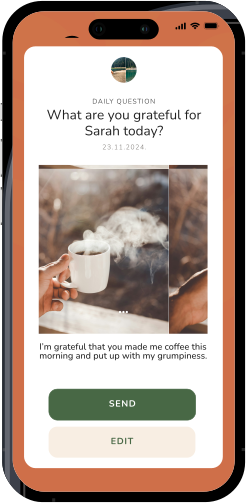
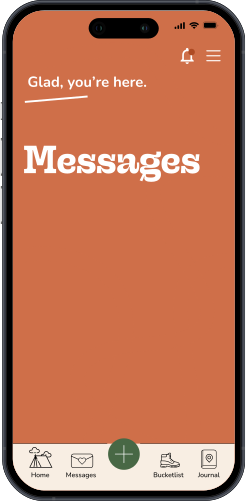
Solution: The Messages feature encourages daily interaction through guided questions, which spark meaningful conversations and make daily check-ins effortless. Additionally, feedback tips provide gentle guidance on how to express appreciation and support in a way that truly resonates with their partner. This helps couples build a habit of positive, thoughtful communication.
BUCKETLIST - sharing meaningful experiences
User Need: Couples often felt stuck in routines and wished for shared experiences to look forward to. They wanted a space to collect and plan activities that strengthen their relationship.
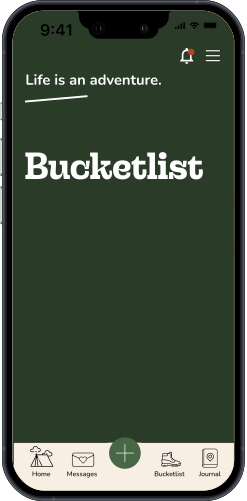
Solution: The Bucket List feature lets partners create and track shared goals—whether it’s a weekend getaway, trying a new hobby, or simply having a picnic in the park. This encourages intentional quality time together.
MEMORIES - strengthening the bond with memories
User Need: Many users felt that while they shared great moments, they often faded into the background of daily life. They wanted a way to cherish and reflect on these experiences.
Solution: The Memories feature acts as a relationship journal, allowing couples to document special moments with photos and notes. This helps them appreciate their journey together and relive meaningful experiences.
Throughout the whole design, we focused on three key principles:
1. Encouraging daily usage – By making the Daily Question the centerpiece, we aimed to create a habit of meaningful connection.
2. Fostering reciprocity and interaction – Features like reactions and shared bucket list experiences ensure that both partners remain engaged.
3. Providing guidance and inspiration – Subtle tips and prompts help users express themselves more openly and communicate more effectively in their relationship.
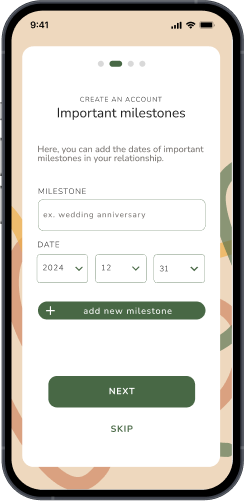
In addition to refining the core features, we designed an onboarding process that allows users to personalize their experience from the start. They can add special milestones, memories, and anniversaries, while the app seamlessly integrates with their calendar to send reminders for important dates
final presentation
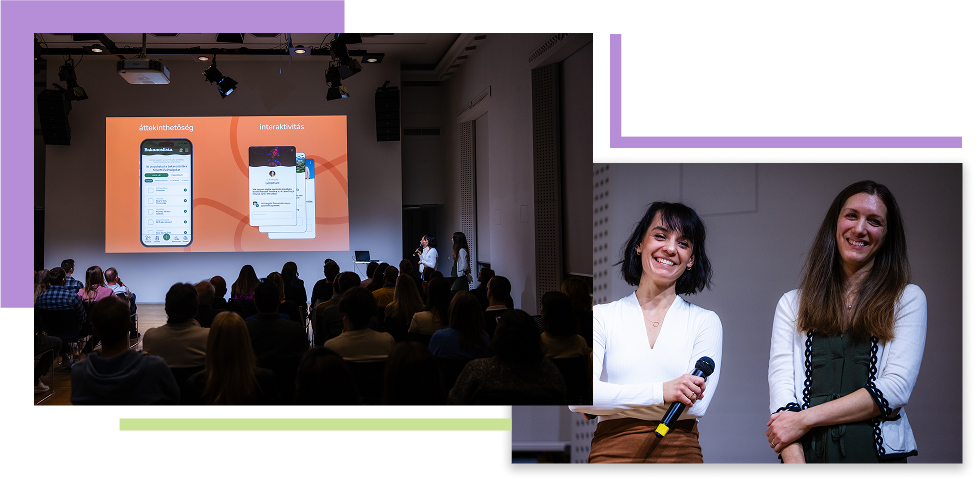
As the last step of the project, we presented our design process and final solution to an audience. We focused on highlighting how user insights shaped our key decisions and how our design evolved through iteration. It was a rewarding experience to share our work, and I felt confident in my ability to communicate our findings and design choices clearly.